Link to the game: Space Wars
The second of the 4 prototypes was a space invaders type game where the player moves around the x axis shooting upwards at enemies that drop down towards them.
Design and Sprites
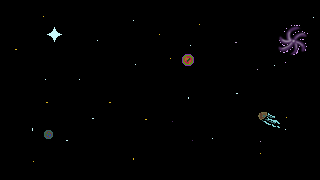
I decided to stick with the space theme and make some pixel art space ships, bullets and environments. The blue ship functions both as the player ship and as a life symbol in a similar vein to the original space invaders. The purple ship is the enemy, the red spots are bullets, and the white shell is the empty life sprite.


The Scripts
To start, I made the player movement and bullet firing script, which included the same audio stuff from the cookie clicker so for analysis go there.
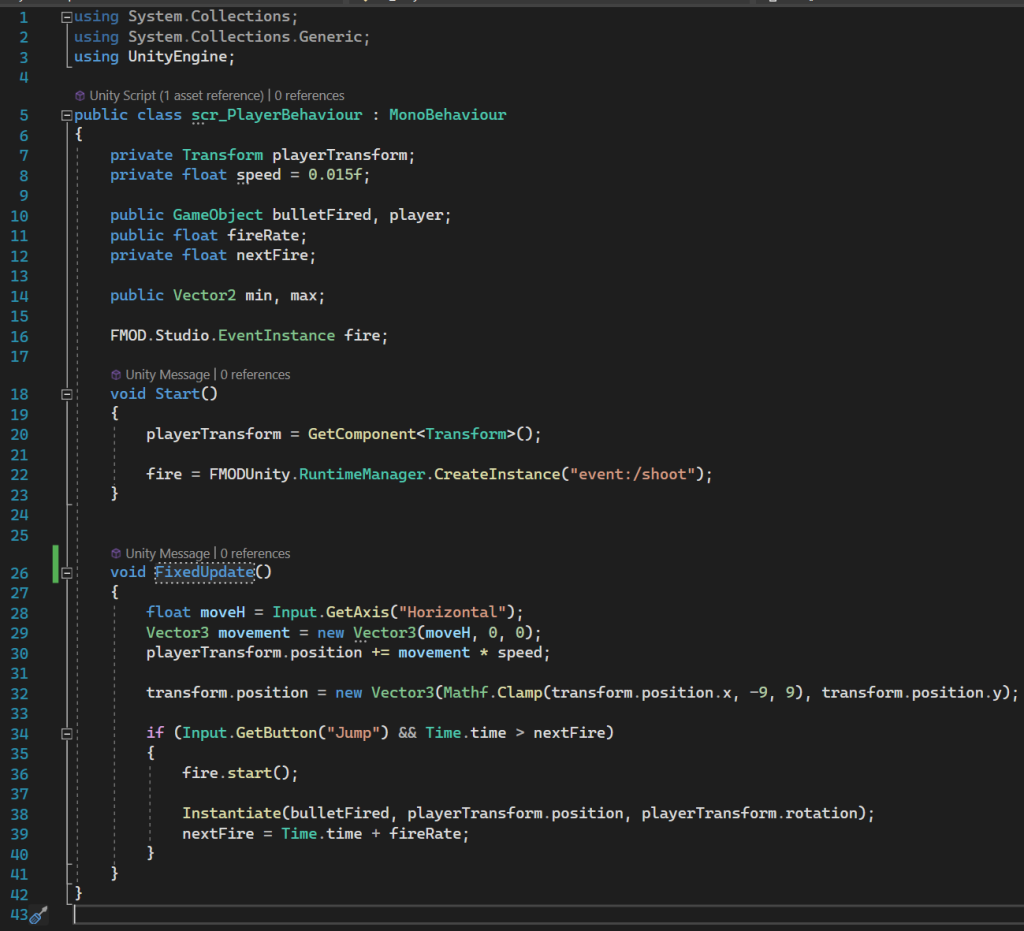
The script uses Vector3s while specifying the horizontal axis to lock the player onto a specific y coordinate making the player only able to go left and right, which combines with the clamps in line 32 which limit the player from leaving the visible play area. I used fixed update for all sprite movement scripts as it regulates the speed no matter the specs of the pc making a more consistent experience.
The script then uses the public float firerate to measure whether or not the player can shoot, comparing it to how much time has passed since the last shot before allowing it to shoot again. It then creates a bullet referencing the bullet behaviour script to create a bullet, before resetting the fire rate timer.
The next script is the bullet behaviour, with simple upwards movement until it reaches a y coordinate that is plenty out of bounds, preventing them from gathering and eventually slowing the game.
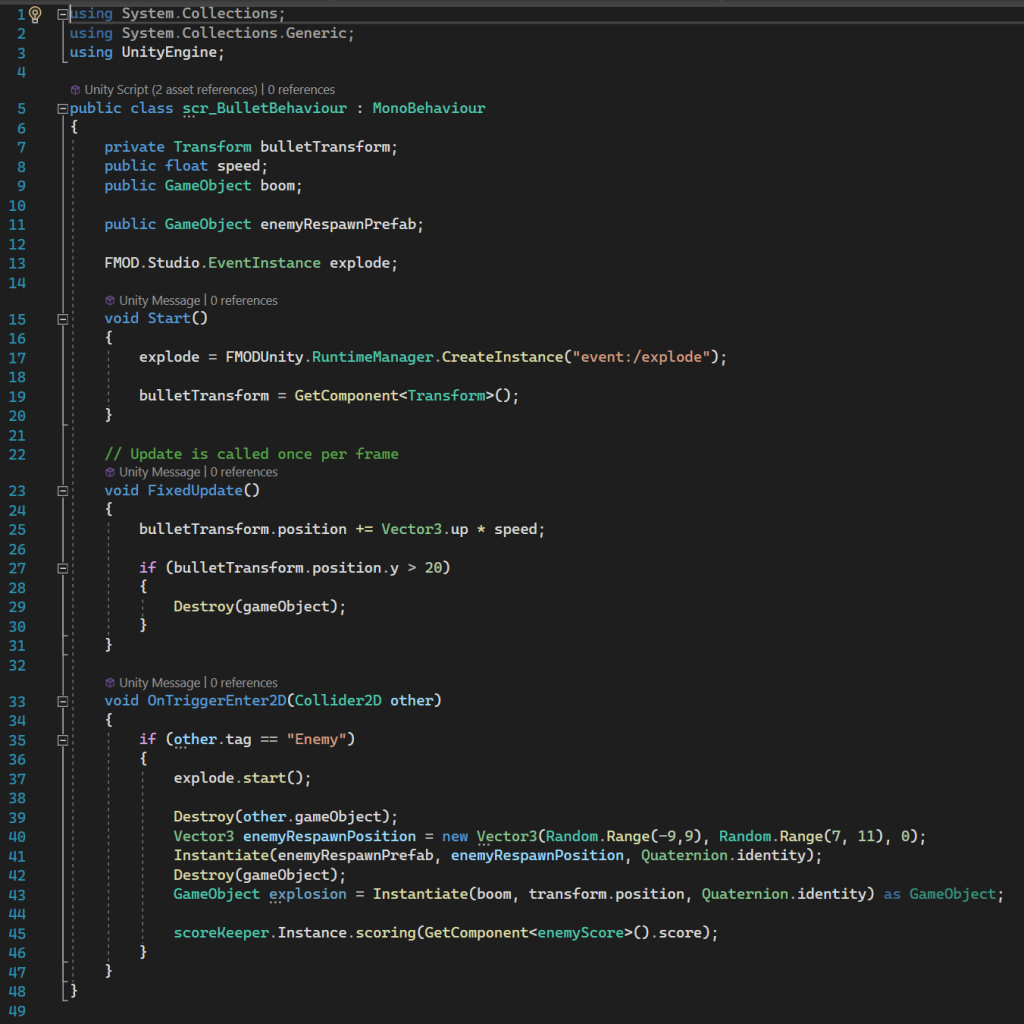
At the bottom it has an if statement that means that if the bullet’s collider touches something with the enemy tag, it destroys it and creates a particle effect explosion. It also contains a few lines where that same enemy is then respawned above the map again to drop down and continue the game. I used random ranges for both the x and y axes to give the impression they are coming in a sort of steady wave rather than them coming down regularly from y=7. The last line also refers to the scorekeeper script that grants the player points for killing enemies but thats not relevant yet.
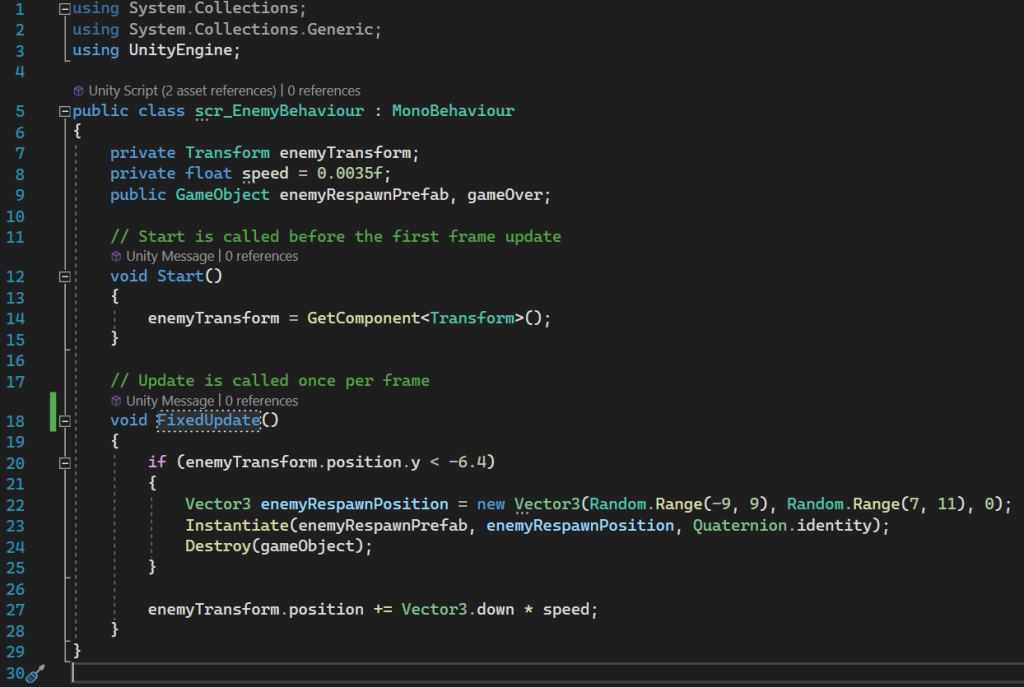
The enemy script contains similar movement to the bullet just down, but it also contains a line that will destroy the ships once they have left the bottom of the map as the player cannot reach them and it will gradually decrease the enemies until there are none left. So it destroys and respawns them with the same respawn stuff as the bullet script.
If the enemies manage to collide the player without being destroyed or missing and going into the void, it will trigger the damage function that will destroy the enemy ship and decrease the player’s health by one and then run a check. If the players remaining health is 1, 2, or 3 then it runs the get hurt coroutine, which grants the player invulnerability, waits 0.5 seconds, so that the player isnt swamped by multiple enemies in the same collision, and then removes the invulnerability, making them mortal again essentially. If the damage leaves the player with 0 or fewer health, the player will do the particle explosion this time and be removed before triggering the gameManager’s restartGame coroutine.
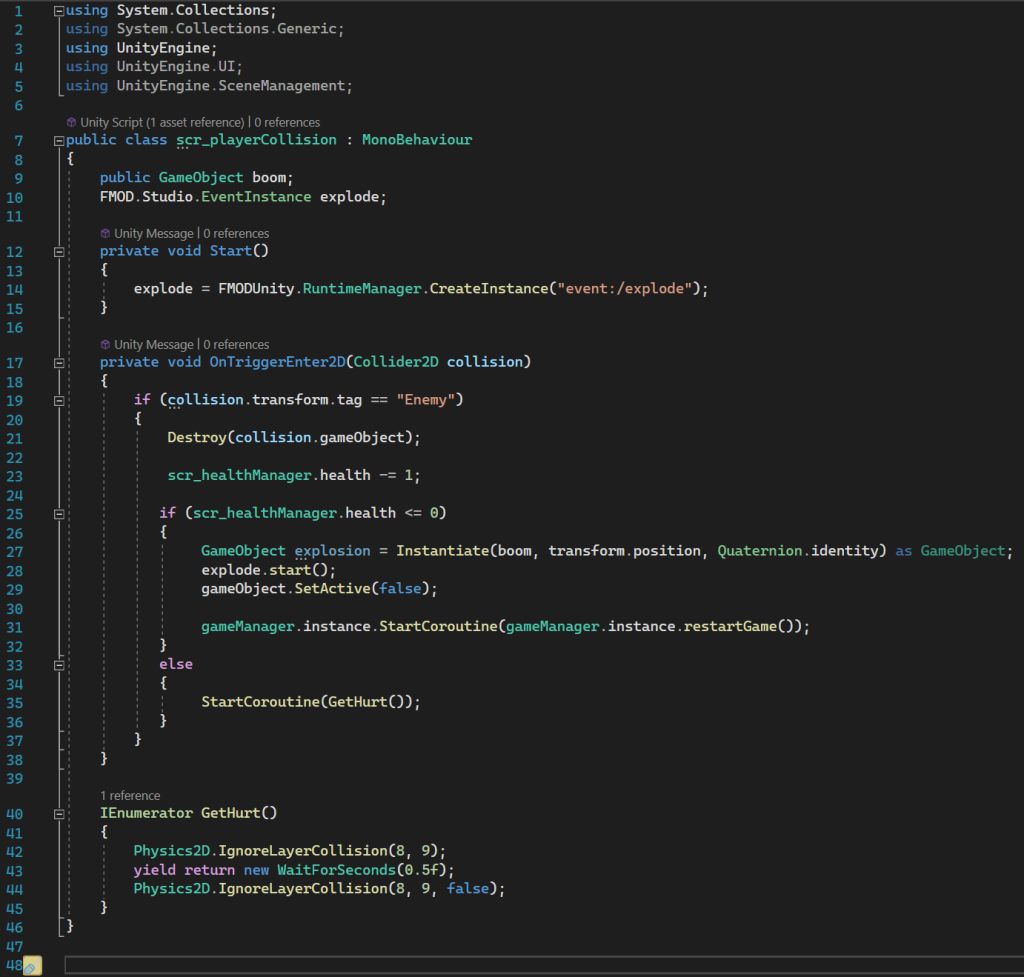
The gameManager sets itself as an instance that can be referenced by other scripts, which is how the player collision script can call the restart command. When the restartGame coroutine, it waits a second to allow the explosion and sound to occur before enabling the view and use of the restart button which appears over the UI other than the score, allowing the player to click to restart, which in turn triggers the scene to reload and the player will restart the game with a reset score.
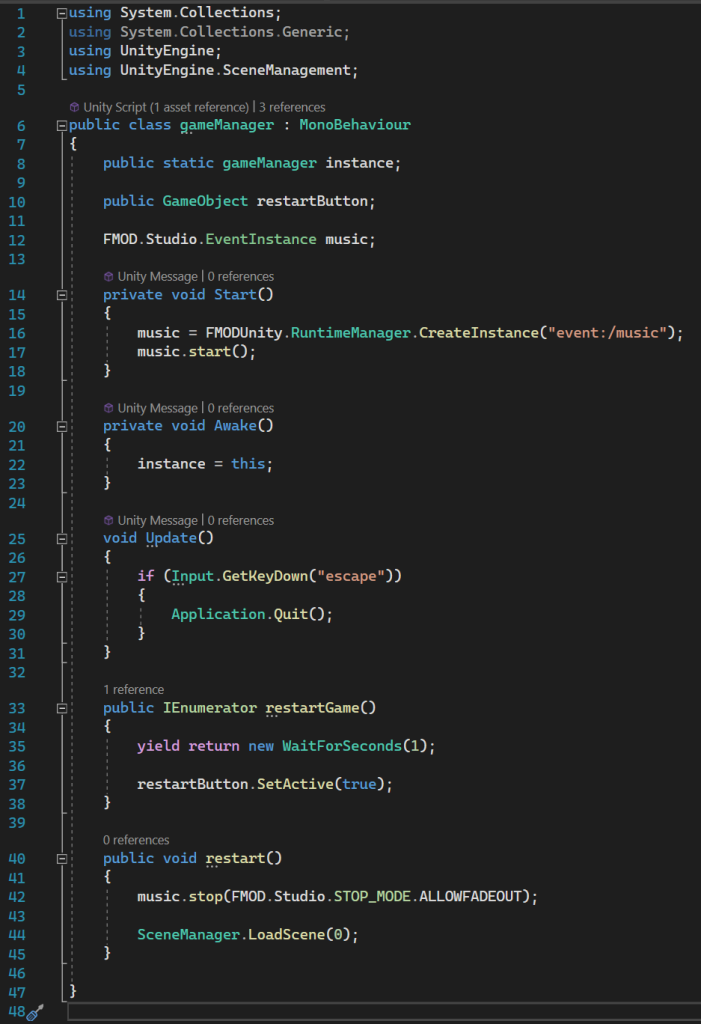
This script also contains an update with an if statement that allows the player to close the game if they press escape instead of having to refresh or close the page.
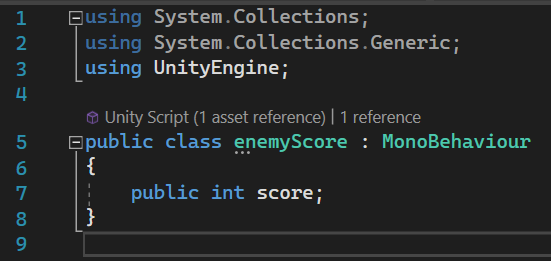
Scorekeeper and enemyScore work to give the player points when they kill an enemy. EnemyScore literally just assigns the enemy a number called score which is used by other scripts to be called upon.
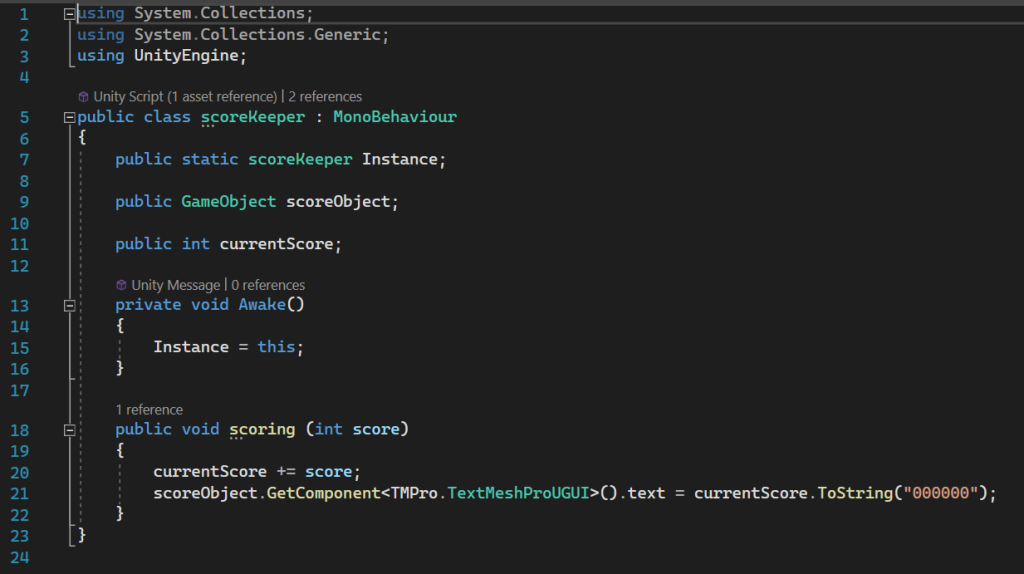
Scorekeeper controls the text that displays the player’s score, keeping it in the format of “000000”. It creates an instance of itself that can be called upon by other scripts like the bullet collision that triggers the scoring void to add points whenever an enemy is destroyed by a bullet.
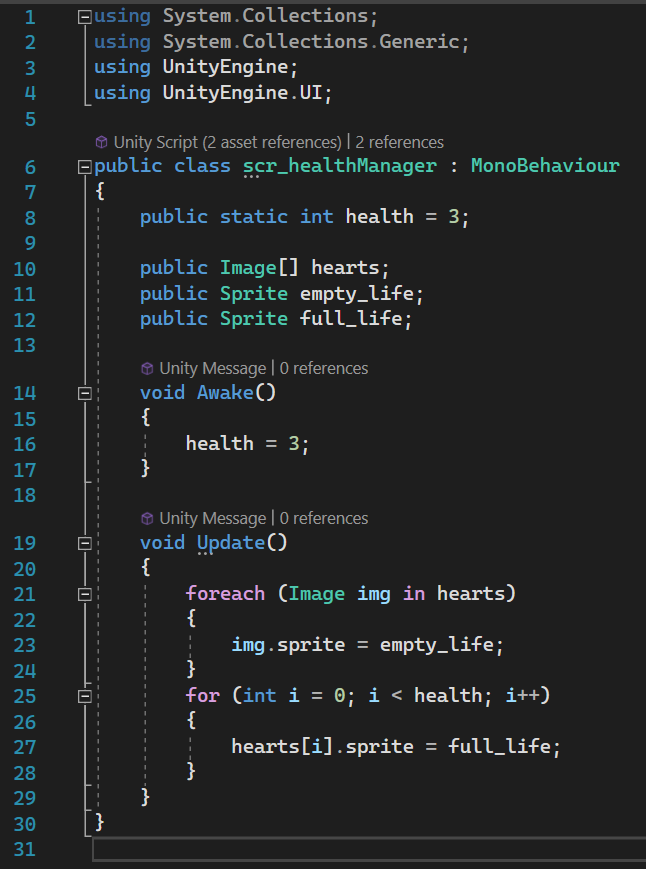
Finally is the healthManager, which basically just controls the lives sprites as the actual lives are controlled more by the player collision script.
Changes I Would Make Next Time
I think next time I would add a title screen that the player would start into and after death, have the option to return to instead of either restarting or quitting. I think adding a mechanism to track the player’s highscores would be a good quality of life change so that the player doesnt have to keep note of them themselves.